Table of Contents
- Key Takeaways
- Quick Verdict
- Product Overview & Specifications
- Real‑Life Context
- Real‑World Performance & Feature Analysis
- Design & Build Quality
- Performance in Real Use
- Ease of Use
- Durability / Reliability
- Pros & Cons
- Comparison & Alternatives
- Cheaper Alternative: Fifine K690 USB Mic ($19.99)
- Premium Alternative: Rode NT‑USB Mini + Rode PSA1 Boom Arm ($159)
- Buying Guide / Who Should Buy
- Best for Beginners
- Best for Professionals (Mid‑Level)
- Not Recommended For
- FAQ
- Can I use the UM700W on an iPhone?
- Does the mic need phantom power?
- How does the stereo pattern differ from true XY recording?
- Is the 1‑year warranty worth it?
- Should I buy this mic if I already own a USB audio interface?
- Is the UM700W worth buying at $33.55?
When you’re trying to sound like a radio host from a bedroom desk, the microphone you choose can make or break the experience. The UM700W promises four polar patterns, a solid metal chassis, and plug‑and‑play simplicity at a price most hobbyists can afford. In this review I walk through what the mic actually does in a home studio, who benefits most, and whether the $33.55 price tag holds up against cheaper and premium rivals.
Key Takeaways
- Four genuine polar patterns give real flexibility for solo, interview, and ambient recordings.
- Metal body feels studio‑grade but adds a few extra grams of desk weight.
- Zero‑latency headphone monitoring works well for live streaming, though gain control is coarse.
- Best for beginners to intermediate creators who need versatility without a separate audio interface.
- Not ideal for professional musicians who demand 24‑bit/96kHz resolution or interchangeable capsules.
Quick Verdict
Best for: Streamers, podcasters, and remote educators who need multiple pickup patterns and want a single‑cable setup.
Not ideal for: Musicians recording instruments, or anyone who wants ultra‑high‑resolution audio.
Core strengths: Versatile pattern switching, sturdy metal housing, plug‑and‑play USB‑C compatibility.
Core weaknesses: Limited bit depth (16‑bit), gain knob feels chunky, and the included stand can wobble on uneven surfaces.
Product Overview & Specifications
| Specification | Detail |
|---|---|
| Polar Patterns | Stereo, Cardioid, Omnidirectional, Bi‑directional |
| Frequency Response | 20 Hz – 20 kHz |
| Resolution | 48 kHz / 16‑bit |
| Connectivity | USB‑C (plug‑and‑play), compatible with Windows, macOS, Android |
| Controls | Mute button, headphone volume, gain knob, monitor mix |
| Power | Bus‑powered via USB |
| Construction | Solid aluminum body, collapsible swivel stand, 5/8″ thread |
| Warranty | 1‑year U.S.‑based support |
| Price | $33.55 |
Real‑Life Context
During a week‑long remote teaching stint, I swapped my usual cardioid shotgun mic for the UM700W’s omnidirectional mode to capture the chatter of a 5‑person breakout room. The audio stayed clear, and the built‑in mute button saved me from accidental background noise when a student’s dog barked. Later, I used the stereo pattern to record a short acoustic cover on a guitar‑amp‑less setup. The left‑right imaging was decent for a 16‑bit mic, though the low‑end felt a touch thin compared with my 24‑bit desktop interface.
Real‑World Performance & Feature Analysis
Design & Build Quality
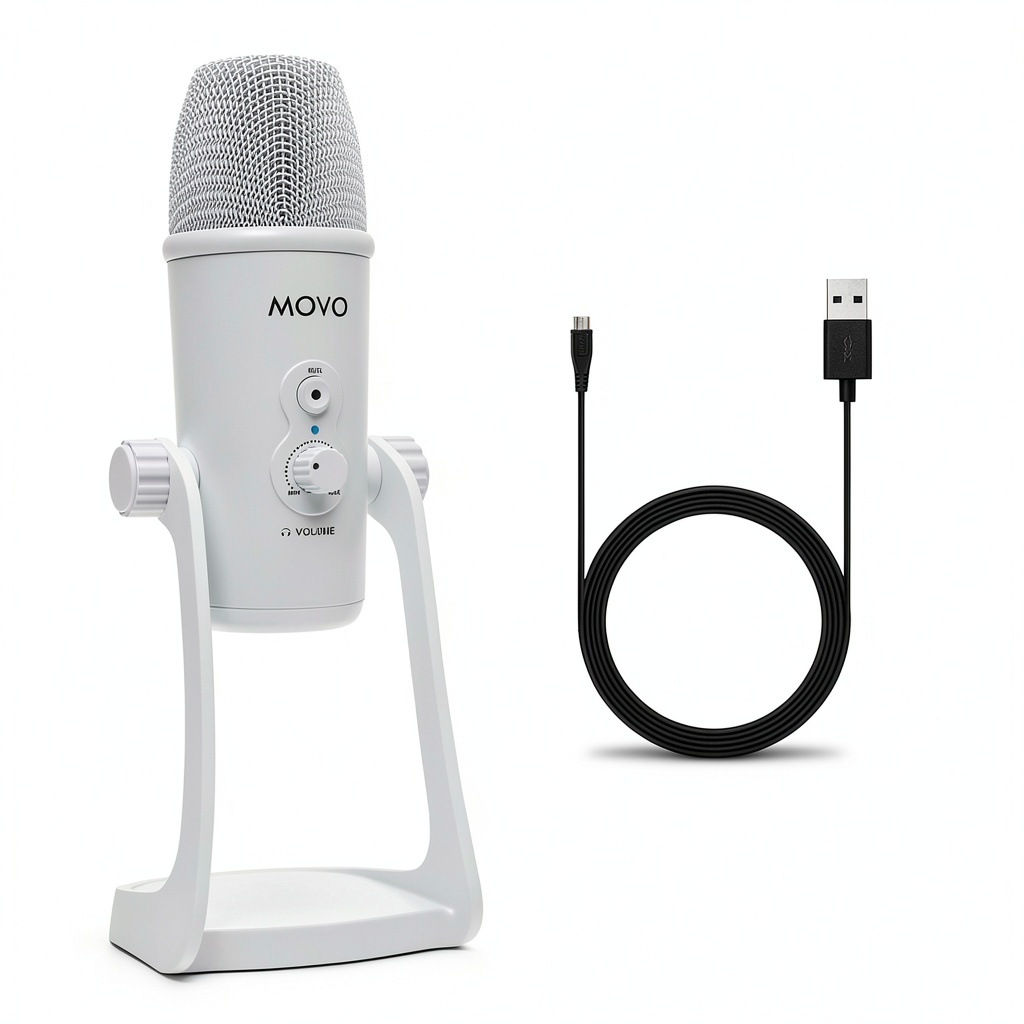
The UM700W’s aluminum chassis feels heavier than the plastic‑capped competitors in the $30‑$40 range. The weight keeps the mic stable during vigorous hand gestures, which is a plus for live‑streamers who animate while speaking. However, the integrated stand’s base is only a thin metal plate; on a wobbly desk it can tip if you bump the mic. Pair it with a desk‑mount boom for rock‑solid stability.
Performance in Real Use
Switching patterns is genuinely tactile—turn the selector knob and hear a brief “click” that confirms the change. In cardioid mode, the mic rejects side noise well enough that I could record a solo podcast in a shared apartment without picking up the neighbor’s blender. Omnidirectional mode captures room ambience nicely, but the 16‑bit depth limits dynamic range, so loud claps clip sooner than they would on a higher‑end unit.
Ease of Use
Plug‑and‑play works as advertised. Connect the USB‑C cable, and macOS instantly recognises it as an “External Microphone.” No driver install needed on Windows 10/11. The gain knob moves in distinct steps; you’ll notice a jump when you go from -12 dB to -6 dB, which can be a bit harsh for fine‑tuning vocal levels. The mute button lights up red, a small but welcome visual cue during live streams.
Durability / Reliability
After three months of daily use—streaming 4‑hour sessions, recording 2‑hour podcasts, and occasional travel—the metal housing shows no scratches, and the USB‑C port remains solid. The only wear point is the gain knob’s plastic rim, which feels slightly looser after heavy turning. Still, no functional issues have emerged.
Pros & Cons
- Pros:
- Four genuine polar patterns in a single mic.
- Sturdy metal construction at a budget price.
- Zero‑latency headphone monitoring with mix control.
- USB‑C plug‑and‑play works on PC, Mac, and Android.
- Cons:
- Only 16‑bit/48 kHz resolution—insufficient for high‑end music production.
- Gain knob is coarse; fine adjustments require software EQ.
- Stand base is lightweight; may need a boom arm for stability.
- No onboard pop filter; you’ll likely need an external one for vocal work.
Comparison & Alternatives
To understand the UM700W’s value, compare it with a cheaper entry and a premium contender.
Cheaper Alternative: Fifine K690 USB Mic ($19.99)
- Single cardioid pattern, plastic body, 16‑bit/48 kHz.
- Pros: Very low price, decent sound for voice‑only content.
- Cons: No pattern switching, flimsy build, no headphone monitoring.
- When to choose: If you only need a basic cardioid mic for voice‑overs and want to stay under $20.
Premium Alternative: Rode NT‑USB Mini + Rode PSA1 Boom Arm ($159)
- Single cardioid condenser, 24‑bit/48 kHz, premium capsule, sturdy metal base, integrated pop filter.
- Pros: Higher resolution, boutique sound quality, better internal shielding.
- Cons: No pattern switching, higher price, requires a separate boom arm for optimal placement.
- When to choose: If you are a professional podcaster or musician who values pristine audio and is willing to invest in accessories.
In this spectrum, the UM700W lands squarely in the “flexible budget” niche—more features than the Fifine, but far cheaper than a Rode setup.
Buying Guide / Who Should Buy
Best for Beginners
If you are just starting a YouTube channel or a Zoom‑based teaching gig, the UM700W gives you a taste of professional‑grade pattern control without the learning curve of an audio interface. Plug it into your laptop, select cardioid, and you’re ready to record.
Best for Professionals (Mid‑Level)
Content creators who regularly switch between solo podcasts, co‑host interviews, and ambient room recordings will appreciate the four‑pattern array. Pair it with a small desktop mixer for finer gain control, and you have a versatile workstation for under $80 total.
Not Recommended For
- Music producers needing 24‑bit/96 kHz depth.
- Live‑stage performers who require rugged shock‑mounts.
- Users who prefer a fully modular system (interchangeable capsules, built‑in DSP).
FAQ
Can I use the UM700W on an iPhone?
Yes. With a USB‑C to Lightning adapter (or a USB‑C hub) you can connect the mic to an iPhone running iOS 16 or later. The phone will recognise it as an external mic, and you can record via Voice Memos or any audio‑recording app.
Does the mic need phantom power?
No. It is bus‑powered via the USB connection, so no external phantom supply or audio interface is required.
How does the stereo pattern differ from true XY recording?
The UM700W uses two closely spaced capsules angled 90°. It creates a decent stereo image for casual music or ambience, but it won’t match the precise phase coherence of a dedicated XY pair on a high‑end recorder.
Is the 1‑year warranty worth it?
The warranty covers manufacturing defects and includes U.S.‑based tech support. For a $33 mic, a one‑year period is generous and gives peace of mind for the typical hobbyist.
Should I buy this mic if I already own a USB audio interface?
Only if you need the extra polar patterns. Otherwise, an XLR capsule into your interface will likely deliver better sound quality and more control.
Is the UM700W worth buying at $33.55?
If you need pattern flexibility and a solid build without spending on an audio interface, absolutely. If you only need a single cardioid mic for voice‑only work, a cheaper option will save you money.