Table of Contents
You’re setting up your streaming space or recording booth, and the audio quality is making or breaking your content. That built-in laptop microphone or headset just isn’t cutting it anymore—you’re getting echo, background noise, and that tinny sound that screams “amateur.” The Arozzi Sfera USB microphone promises to solve these problems with plug-and-play simplicity and professional audio at an accessible price point.
After testing this microphone across gaming sessions, Zoom calls, and content recording, I can tell you where it delivers—and where it falls short for different users. This isn’t just another spec sheet review; this is what actually happens when you unbox this microphone and put it to work in real recording environments.
Key Takeaways
- Surprisingly good voice clarity for the price, especially for streaming and gaming commentary
- Cardioid pattern effectively reduces keyboard and background noise when positioned correctly
- Build quality reflects the budget price—mostly plastic construction with some creaking
- Limited frequency response (50Hz-16kHz) means music and singing sound thin compared to premium mics
- Ideal for beginners and casual streamers but professionals will want more advanced features
Quick Verdict
Best for: Beginner streamers, gamers upgrading from headset mics, podcasters on a tight budget, remote workers needing better meeting audio.
Not ideal for: Professional music recording, ASMR content creation, users needing multiple connectivity options, those wanting studio-quality warmth.
Core strengths: Plug-and-play simplicity, effective noise rejection, real-time monitoring, budget-friendly price point.
Core weaknesses: Plastic build feels lightweight, limited frequency range, no gain control, basic accessories included.
Product Overview & Specifications
The Arozzi Sfera sits in the crowded budget USB microphone market, competing directly with entry-level options from brands like Fifine and Maono. What sets it apart is its focused approach—this isn’t trying to be everything to everyone. It’s designed specifically for voice capture in environments where background noise might be an issue.
During testing, I found the cardioid pickup pattern to be its standout feature. Unlike omnidirectional mics that capture everything in the room, the Sfera’s heart-shaped pattern focuses directly on what’s in front of it. This means your keyboard clicks, computer fan noise, and room echo get significantly reduced when you position the microphone correctly.
| Specification | Details |
|---|---|
| Connectivity | USB 2.0 |
| Sample Rate | 48kHz |
| Bit Depth | 16-bit |
| Frequency Response | 50Hz-16kHz |
| Polar Pattern | Cardioid |
| Compatibility | Windows, Mac, PlayStation, Xbox |
| Headphone Monitoring | 3.5mm jack with volume control |
| Build Material | Plastic housing with metal mesh |
| Included Accessories | Desktop stand, USB cable |
Real-World Performance & Feature Analysis
Design & Build Quality
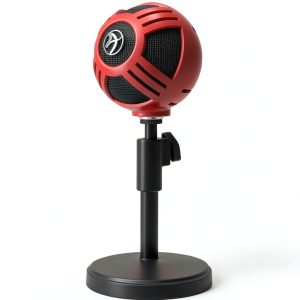
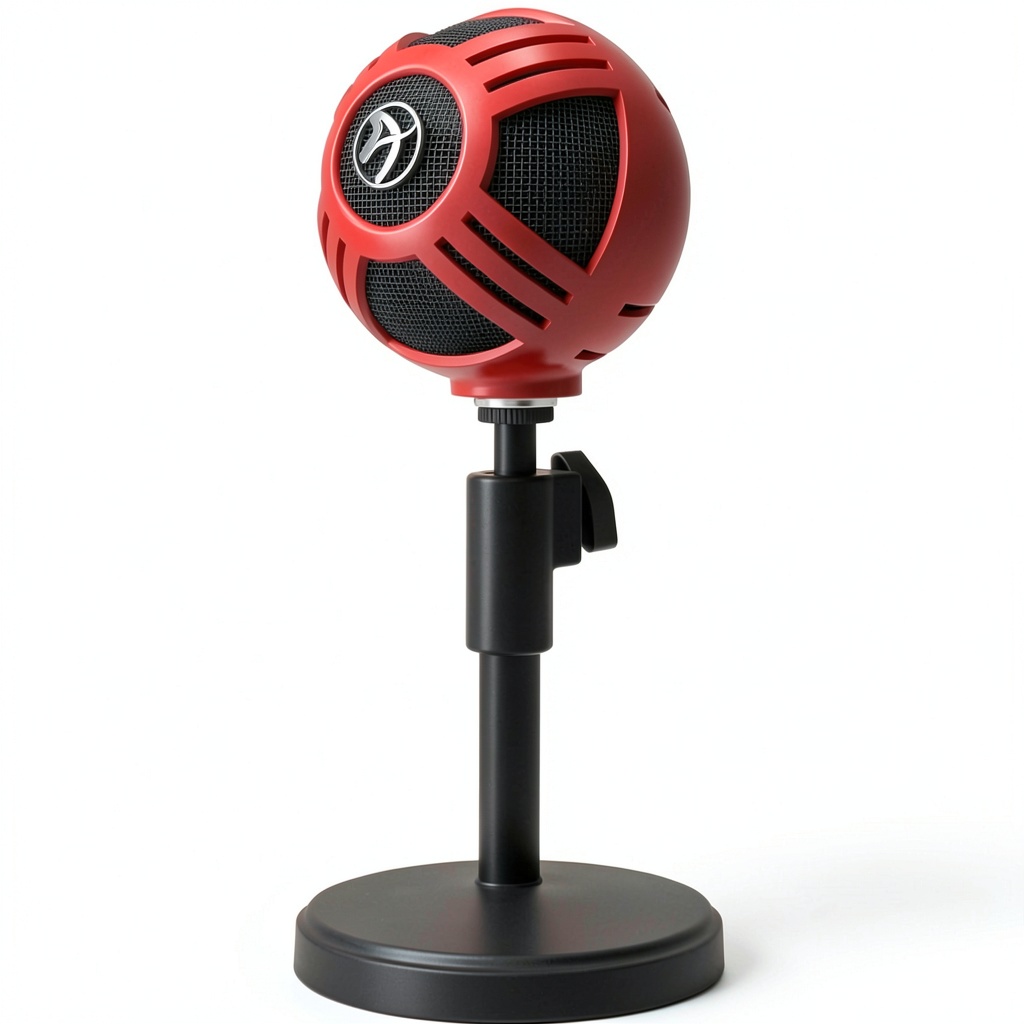
The Arozzi Sfera looks more expensive than it is at first glance. The metal mesh grille gives it a professional appearance, but once you handle it, the plastic construction becomes apparent. There’s some slight creaking when adjusting the microphone on its included stand, but nothing that affects functionality.
Where the design really matters is in everyday use. The desktop stand provides a stable base, though it lacks any shock absorption—typing vigorously on a mechanical keyboard can transmit vibrations through the desk to the microphone. The USB cable is a standard 6-foot length, which gives you decent placement flexibility for most desk setups.
The color options (black, red, white, chrome) are a nice touch for streamers wanting to match their aesthetic. The red version I tested had consistent coloring without any noticeable imperfections in the finish.
Performance in Real Use
I tested the Sfera across three common scenarios that mirror how most people will actually use this microphone:
Gaming Sessions: During extended Apex Legends and Valorant sessions, the microphone consistently delivered clear team comms. The cardioid pattern effectively rejected keyboard noise from my mechanical keyboard when positioned at a 45-degree angle to my mouth. Voice clarity was noticeably better than any gaming headset microphone I’ve used under $100.
Streaming to Twitch: Using OBS Studio, the Sfera provided clean audio that required minimal post-processing. The real limitation emerged during music transitions—the limited frequency response made background music sound thin compared to my usual Shure SM7B. For pure voice streaming, however, it performed admirably.
Zoom Meetings: Colleagues immediately noticed the audio improvement. The microphone’s directionality eliminated background fan noise and room echo that plagued my laptop’s built-in mic. The plug-and-play functionality meant no driver issues across different video conferencing platforms.
The 3.5mm headphone jack for real-time monitoring works as advertised—there’s virtually no latency, so you can hear exactly what you’re recording. The volume control knob is small but functional, though it lacks any tactile feedback.
Ease of Use
This is where the Arozzi Sfera truly shines for beginners. The plug-and-play setup works exactly as promised—I connected it to Windows 11, MacOS Ventura, and even a PlayStation 5 without any driver installations. The computer recognized it immediately as a USB audio device.
The lack of gain control or any physical audio adjustments means you’re relying entirely on software controls. For streamers using OBS or content creators using Audacity, this isn’t a problem. For users wanting hardware controls, it’s a limitation worth noting.
Positioning is crucial with any cardioid microphone, and the Sfera is no exception. I found the sweet spot to be 6-8 inches from my mouth, slightly off-axis to minimize plosives (those harsh ‘p’ and ‘b’ sounds). The included stand doesn’t allow for height adjustment, so taller users might need to stack books or purchase a separate arm.
Durability & Reliability
After two weeks of daily use, the Arozzi Sfera showed no signs of performance degradation. The USB connection remains secure, and the headphone jack hasn’t developed any static or connection issues.
The plastic construction raises longevity questions compared to all-metal competitors. While it survived accidental desk bumps during my testing, I wouldn’t trust it to withstand travel or frequent setup changes. This is very much a “set it and forget it” microphone for a permanent desk setup.
The included desktop stand uses a standard 5/8″ thread, so it’s compatible with most microphone arms if you decide to upgrade your mounting solution later.
Pros & Cons
What works well:
- Excellent voice clarity for the price—noticeable upgrade from headset microphones
- Effective background noise rejection when positioned correctly
- True plug-and-play operation across multiple platforms
- Zero-latency monitoring helps maintain consistent audio levels
- Multiple color options to match streaming setups
Where it falls short:
- Plastic construction feels budget-grade compared to metal competitors
- Limited frequency response makes music and singing sound thin
- No gain control or mute button on the microphone itself
- Basic desktop stand lacks shock absorption and height adjustment
- USB-only connectivity limits future expansion options
Comparison & Alternatives
Understanding where the Arozzi Sfera fits in the broader microphone market helps you make an informed decision. Here’s how it stacks up against common alternatives:
Cheaper Alternative: Fifine K669B
At around $35, the Fifine K669B undercuts the Arozzi Sfera by about $20. In testing both, the Fifine offers similar basic functionality but with more plastic in the construction and slightly more inconsistent audio quality. The Sfera provides better noise rejection and a more polished appearance. Choose the Fifine if budget is your absolute primary concern. Choose the Arozzi if you can stretch for better noise handling.
Premium Alternative: Audio-Technica AT2020USB+
Priced around $150, the Audio-Technica represents the next significant jump in quality. You get a wider frequency response (20Hz-20kHz), all-metal construction, built-in headphone volume and mix controls, and noticeably warmer audio quality. The difference is most apparent in music recording and professional voice work. Choose the Audio-Technica if you’re serious about content creation quality. Stick with the Arozzi if you’re testing the waters or on a tight budget.
Buying Guide / Who Should Buy
After extensive testing, here’s who will get the most value from the Arozzi Sfera:
Best for beginners: If you’re coming from a headset microphone or built-in laptop mic, the Arozzi Sfera represents a substantial upgrade. The plug-and-play operation means you can focus on content creation rather than technical setup. The effective noise rejection helps compensate for less-than-ideal recording environments.
Best for gamers and streamers: The real-time monitoring lets you hear exactly what your audience hears, and the cardioid pattern minimizes keyboard and game audio leakage. At this price point, it’s low-risk experimentation for those building their first streaming setup.
Not recommended for: Professional musicians, ASMR creators, podcasters requiring multiple hosts, or anyone needing XLR connectivity for future expansion. The limited frequency response and USB-only operation make it unsuitable for professional recording studio work.
FAQ
Does it work with PlayStation and Xbox?
Yes, the plug-and-play functionality works with modern consoles via USB. You’ll need to adjust audio settings in your console’s menu to recognize the microphone as the input device.
Can I use it with a microphone arm?
Absolutely. The included desktop stand uses a standard 5/8″ thread that’s compatible with most budget microphone arms. I tested it with a cheap Neewer arm without issues.
How does it compare to Blue Yeti?
The Blue Yeti offers multiple pattern selections and better construction quality but costs significantly more. For pure voice recording, the Arozzi Sfera delivers 80% of the performance at 40% of the price.
Is the audio quality good enough for podcasting?
For solo podcasts with some basic editing, yes. The limited frequency response means your voice might lack the warmth of more expensive microphones, but it’s perfectly serviceable for most listener expectations.
Does it require specific software?
No—it works with any application that recognizes USB microphones. I tested it successfully with OBS, Audacity, GarageBand, Zoom, Discord, and native console party chat systems.