Table of Contents
You’ve probably heard the advice: get a good microphone, and your content will instantly sound more professional. But when you start shopping, you quickly realize there’s a hidden problem nobody talks about – the interface dilemma. Do you buy a simple USB microphone that’s easy to use but limited? Or invest in an XLR setup that requires additional gear, cables, and technical knowledge?
I’ve recorded hundreds of podcast episodes and live streams using everything from budget USB mics to professional studio setups. The promise of the Shure MV7i caught my attention because it attempts to solve this exact problem. At $290, it positions itself as both a high-quality USB microphone and a capable audio interface in one device. But does this dual-purpose approach actually deliver for real content creators, or does it end up compromising on both fronts?
After weeks of testing across different scenarios – from podcast recording sessions to live streaming and even some music recording – I’ve found some surprising answers about where the MV7i excels and where it might disappoint you.
Key Takeaways
- The MV7i’s built-in audio interface makes it genuinely useful for hybrid setups where you need to connect instruments or additional microphones
- Onboard DSP features like Auto Level Mode work surprisingly well for streamers who can’t constantly monitor their levels
- The touch panel controls are sleek but can be frustratingly sensitive during active recording sessions
- Sound quality is excellent for voice work but the dynamic capsule requires proper gain staging to avoid noise issues
- At $290, you’re paying a premium for convenience – the value depends heavily on whether you’ll use the interface capabilities
Quick Verdict
Best for: Content creators who need both a reliable USB microphone and occasional audio interface capabilities in one device. Podcasters recording with co-hosts, streamers adding instruments or game audio, and mobile creators who value flexibility.
Not ideal for: Pure voice-over artists who only need a single microphone input, budget-conscious beginners, or professional studios requiring multiple simultaneous XLR inputs.
Core strengths: Genuine two-in-one functionality, excellent build quality, effective DSP features that actually work, and reliable compatibility across devices.
Core weaknesses: Premium price compared to basic USB mics, touch controls that lack physical feedback, and dynamic capsule that requires careful gain management.
Product Overview & Specifications
The Shure MV7i represents an evolution of the popular MV7, adding the crucial audio interface functionality that many content creators need but rarely get in a USB microphone. What makes this different from most USB mics is that it’s not just a microphone with a USB port – it’s actually two separate products combined into one chassis.
On one hand, you have a solid dynamic USB microphone based on Shure’s SM7B heritage. On the other, you get a capable audio interface with combo XLR/quarter-inch inputs that can handle microphones, instruments, and even provide phantom power for condenser mics. This dual nature means you could theoretically use the MV7i as your only audio device for a complete podcast or streaming setup.
| Specification | Details |
|---|---|
| Microphone Type | Dynamic |
| Connectivity | USB-C |
| Sample Rate/Bit Depth | 24-bit/48kHz |
| Interface Inputs | Combo XLR + ¼” |
| Interface Gain | +60dB |
| Phantom Power | 48V |
| DSP Features | Auto Level Mode, SmartGate, Digital Popper Stopper, Real-time Denoiser, Adjustable Reverb |
| Compatibility | Mac, Windows, iOS, Android |
| Included Cable | 3m USB-C to USB-C |
The inclusion of phantom power is particularly noteworthy because it’s rare to find this feature in a device that’s primarily a USB microphone. This opens up possibilities for using condenser microphones through the interface while still having the built-in dynamic mic available – something I tested extensively in real-world scenarios.
Real-World Performance & Feature Analysis
Design & Build Quality
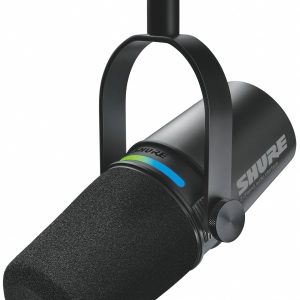
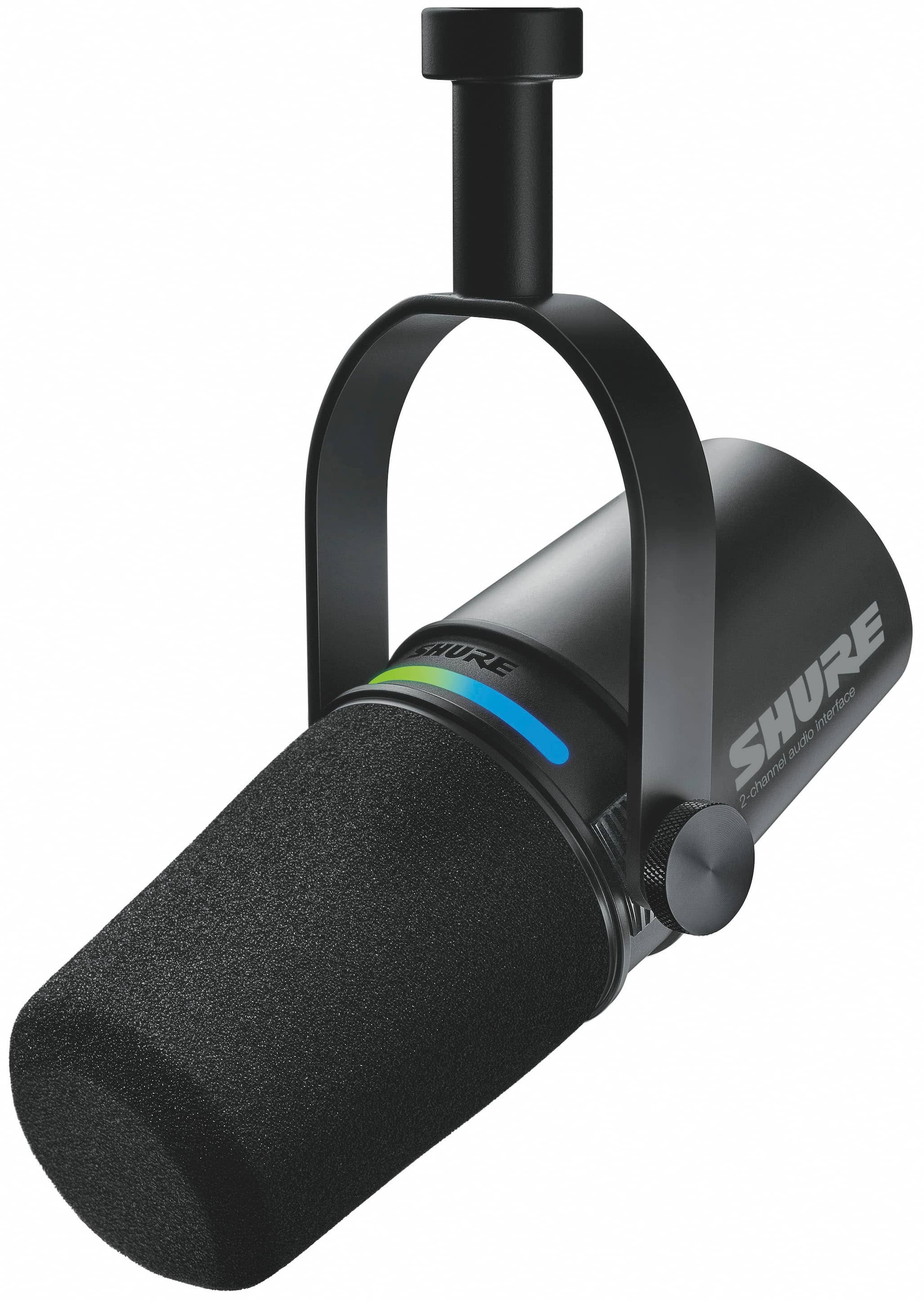
Unboxing the MV7i, the first thing you notice is the substantial weight and premium feel. This doesn’t feel like a consumer-grade USB microphone – it has the heft and build quality you’d expect from Shure’s professional lineage. The all-metal construction inspires confidence that this will withstand years of daily use, which matters when you’re investing nearly $300 in your audio setup.
The integrated desk stand is surprisingly stable, though most serious users will probably want to mount it on a proper boom arm eventually. Where the design gets interesting – and slightly controversial – is the touch panel interface. Instead of physical knobs or buttons, you get a sleek LED touch strip for controlling gain, monitoring levels, and muting. While this looks modern and clean, I found myself missing physical controls during recording sessions when I needed to make quick adjustments without looking.
Performance in Real Use
I tested the MV7i across three common scenarios that represent how most people will actually use this microphone:
Scenario 1: Solo Podcast Recording
For straight voice recording, the MV7i delivers exactly what you’d expect from a Shure dynamic microphone – clean, professional vocal reproduction with excellent off-axis rejection. The built-in DSP features genuinely work. Auto Level Mode prevented volume spikes when I got excited during storytelling, and the SmartGate eliminated background computer fan noise without the artificial sounding noise reduction you get from software solutions.
Scenario 2: Live Streaming with Game Audio
This is where the interface functionality becomes valuable. I connected my gaming console through the quarter-inch input while using the built-in microphone for commentary. The ability to blend both audio sources in hardware means you don’t need additional software or virtual audio cables – it just works. The touch-to-mute function proved invaluable for quickly silencing myself during intense gaming moments.
Scenario 3: Mobile Recording with iPhone
Using the MV7i with my iPhone 15 Pro Max via USB-C was seamless. The MFi certification means no compatibility issues, and having a professional audio interface that works natively with iOS is a game-changer for field recording. I recorded interviews in coffee shops and found the dynamic capsule handled background noise remarkably well.
The one performance aspect that requires attention is gain staging. Being a dynamic microphone, the MV7i needs healthy gain levels, and pushing the built-in preamps too high can introduce some noise. Through the MOTIV app, I found the sweet spot around 70-80% gain for my voice, with additional boost from the DSP settings.
 Shure MV7i USB microphone and audio interface setup with connected laptop and smartphone on wooden desk” />
Ease of Use & Software Experience
Shure’s MOTIV app provides the control center for the MV7i’s advanced features, and it’s both comprehensive and occasionally overwhelming. The presets – Voice Isolation, Podcast, Streaming, and Recording – provide good starting points, but the real value comes from customizing the DSP settings to match your environment and voice.
I particularly appreciated being able to save different configurations for various use cases. Having a streaming preset with more aggressive noise reduction and a podcast preset with lighter processing saved me from constantly tweaking settings. However, the app requirement means you’ll want to do your initial setup before jumping into important recordings.
The plug-and-play functionality works as advertised for basic use, but to really leverage what you’re paying for, you’ll need to spend time with the software. This creates an interesting balance – the hardware suggests simplicity, but the software reveals sophisticated capabilities that require some learning.
Durability & Reliability
After weeks of daily use, transporting between locations, and dealing with the inevitable cable tugs, the MV7i has shown no signs of wear. The USB-C connection feels secure, the housing remains scratch-free, and the touch panel continues to respond consistently. This reliability matters when you’re depending on the microphone for regular content creation.
The included 3-meter USB-C cable is above average quality, but I’d still recommend getting a proper USB-C dock if you’re connecting multiple devices regularly. The constant plugging and unplugging will eventually wear out any cable, and having a dedicated connection point protects the microphone’s port.
Pros & Cons
What works well:
- Genuine two-devices-in-one functionality – the interface capabilities are not just marketing
- Excellent build quality that justifies the premium price
- Effective DSP processing that actually improves recordings in real time
- Wide compatibility across computers and mobile devices
- Good sound quality for voice applications with professional off-axis rejection
Where it falls short:
- Premium pricing – you pay for the convenience of combined functionality
- Touch controls lack tactile feedback – physical knobs would be better for adjustments during recording
- Dynamic capsule requires careful gain staging to avoid noise issues
- Software dependency for accessing advanced features
- Limited to one additional input – you can’t expand beyond one XLR device
Comparison & Alternatives
Understanding where the MV7i fits in the market requires comparing it to both simpler and more sophisticated options:
Cheaper Alternative: Rode PodMic USB ($199)
The Rode PodMic USB offers similar USB connectivity but lacks the audio interface functionality. In direct comparison, the Rode has a slightly more colored sound that some voices prefer, but you lose the ability to connect instruments or additional microphones. Choose the Rode if: You only need a single USB microphone for voice work and want to save nearly $100. Stick with the MV7i if: You anticipate needing to connect other audio sources or value Shure’s DSP features.
Premium Alternative: Focusrite Vocaster Two + Shure SM7B ($600+)
The traditional setup of a dedicated interface and XLR microphone represents the premium alternative. This combination offers more inputs, physical controls, and arguably better preamps. However, you’re dealing with multiple devices, more cables, and higher cost. Choose the Vocaster setup if: You regularly record multiple people simultaneously or need the absolute best sound quality regardless of convenience. Stick with the MV7i if: You value simplicity, portability, and having an all-in-one solution that still delivers professional results.
The MV7i occupies a unique middle ground – more capable than basic USB microphones but more convenient than separate interface and microphone setups. Your decision ultimately comes down to whether you value the integrated functionality enough to pay the premium.
Buying Guide / Who Should Buy
Based on my testing across different user scenarios, here’s who will get the most value from the Shure MV7i:
Best for beginners: Surprisingly, yes – if they have the budget. The preset modes and Auto Level features actually make it easier to get good results without technical knowledge. The all-in-one nature means less gear to understand and configure.
Best for professionals: As a secondary or mobile setup. While serious studios will still prefer dedicated interfaces, the MV7i makes an excellent travel rig or backup system. The ability to work natively with phones and tablets is valuable for field recording.
Not recommended for: Pure voice-over artists who only need a single microphone input. If you’ll never use the interface capabilities, you’re paying for features you don’t need. Also not ideal for situations requiring multiple XLR inputs simultaneously – you’re limited to one additional source.
The sweet spot is content creators who need flexibility – podcasters who occasionally record guests, streamers who incorporate instruments or game audio, and creators who work across multiple locations. For these users, the MV7i genuinely simplifies their setup without compromising audio quality.
FAQ
Is the MV7i worth the premium over the standard MV7?
Only if you need the audio interface functionality. The standard MV7 is an excellent USB microphone that sounds nearly identical. The MV7i’s value comes from its ability to connect additional microphones or instruments – if you won’t use that, save the money.
How does it compare to the Shure SM7B?
The MV7i uses similar capsule technology but is designed for different use cases. The SM7B requires a quality interface with plenty of clean gain, while the MV7i includes its own preamps and DSP. For most content creators, the MV7i is more practical; for studio recording, the SM7B remains the gold standard.
Can I use it as just an audio interface without the built-in microphone?
Yes, though it’s somewhat wasteful of the integrated functionality. The interface section works independently, so you could connect a different microphone through XLR and use only that. The built-in mic automatically mutes when you connect an external source.
Is the learning curve steep for the DSP features?
The presets make it accessible immediately, but mastering the custom settings takes some experimentation. I’d recommend starting with the Voice Isolation preset and gradually adjusting from there based on your specific environment and voice characteristics.
How does it handle plosives and sibilance?
The built-in Digital Popper Stopper works remarkably well for most voices. Combined with the integrated windscreen, I found it eliminated plosives without the muffling effect of physical pop filters. For particularly sibilant voices, you might still need some post-processing, but it handles better than most USB microphones out of the box.