Table of Contents
- Key Takeaways
- Quick Verdict: Who Should (and Shouldn’t) Buy the Blue Yeti
- Product Overview & Specifications
- Real-World Performance & Feature Analysis
- Design & Build Quality: A Statement Piece with a Practical Flaw
- Performance in Real Use: Where the Patterns Shine
- Ease of Use: The Ultimate Plug-and-Play Experience
- Durability & Reliability: A Long-Term Investment
- Pros & Cons
- Comparison & Alternatives
- Buying Guide: Who Should Buy the Blue Yeti?
- Frequently Asked Questions (FAQ)
If you’ve spent any time in the content creation space, you’ve seen the Blue Yeti. It’s the iconic silver microphone perched on countless YouTube channels, Twitch streams, and podcast setups. But in 2026, with an ocean of USB microphones available, does the Blue Yeti still hold its ground as the go-to choice, or is it riding on reputation alone? Having used this mic for everything from client voice-over work to live streaming, I’m going to cut through the hype and give you the real-world lowdown.
This isn’t just a spec sheet recap. We’re going to talk about what it’s actually like to live with the Blue Yeti day-to-day: the satisfying heft of the knob, the frustration of picking up your keyboard clicks, and whether the Blue VO!CE software is a game-changer or just a gimmick. My goal is to help you answer one simple question: Is the Blue Yeti the right microphone for you, right now?
Key Takeaways
- Versatility is its Superpower: The four pickup patterns (cardioid, stereo, omnidirectional, bidirectional) make it uniquely flexible for solo recording, interviews, and capturing room ambiance, a feature rarely found at this price.
- Plug-and-Play Simplicity: Its USB connectivity means you can achieve professional-quality audio without an audio interface, making it ideal for beginners.
- Built Like a Tank: The all-metal construction feels premium and durable, but its significant weight requires a sturdy desk stand or, better yet, a boom arm.
- Software Enhances, But Doesn’t Fix: Blue VO!CE offers useful real-time effects, but it can’t fully compensate for a poor recording environment. Good mic technique and acoustic treatment are still paramount.
- Not for Noisy Environments: As a condenser microphone, it’s sensitive. It will faithfully capture your voice but also the hum of your PC and the clatter of your mechanical keyboard if you’re not careful.
Quick Verdict: Who Should (and Shouldn’t) Buy the Blue Yeti
After weeks of testing, the Blue Yeti’s value proposition is clear, but so are its limitations.
Best For: Beginner to intermediate content creators (streamers, podcasters, YouTubers) who need a single, versatile microphone for multiple recording scenarios and want a simple, all-in-one solution without the complexity of an audio interface.
Not Ideal For: Professionals in treated studios who need the absolute highest fidelity (they’ll lean towards XLR mics), or users in very noisy environments where the Yeti’s sensitivity becomes a liability. It’s also quite large, so those with minimal desk space should take note.
Core Strengths: Unmatched pattern flexibility, robust build quality, incredibly easy setup, and useful companion software.
Core Weaknesses: Susceptible to background noise, very heavy and bulky for a desk stand, and the included stand can transmit vibrations.
Product Overview & Specifications
The Blue Yeti is a side-address USB condenser microphone, meaning you speak into the side of the microphone, not the top. This is a common point of confusion for first-time users. It draws power and transmits audio directly through a single USB cable, eliminating the need for external phantom power. The onboard controls give you direct access to essential adjustments, which is a significant quality-of-life feature.
| Specification | Details |
|---|---|
| Microphone Type | Condenser (3x 14mm capsules) |
| Connection | USB 2.0 |
| Sample Rate | 48 kHz |
| Bit Depth | 16-bit |
| Pickup Patterns | Cardioid, Stereo, Omnidirectional, Bidirectional |
| Headphone Output | 3.5mm jack with volume control (zero-latency monitoring) |
| Controls | Gain, Pattern Selection, Mute, Headphone Volume |
| Weight | 1.2 kg (2.6 lbs) |
| Included Accessories | Desktop stand, USB cable |
Real-World Performance & Feature Analysis
Design & Build Quality: A Statement Piece with a Practical Flaw
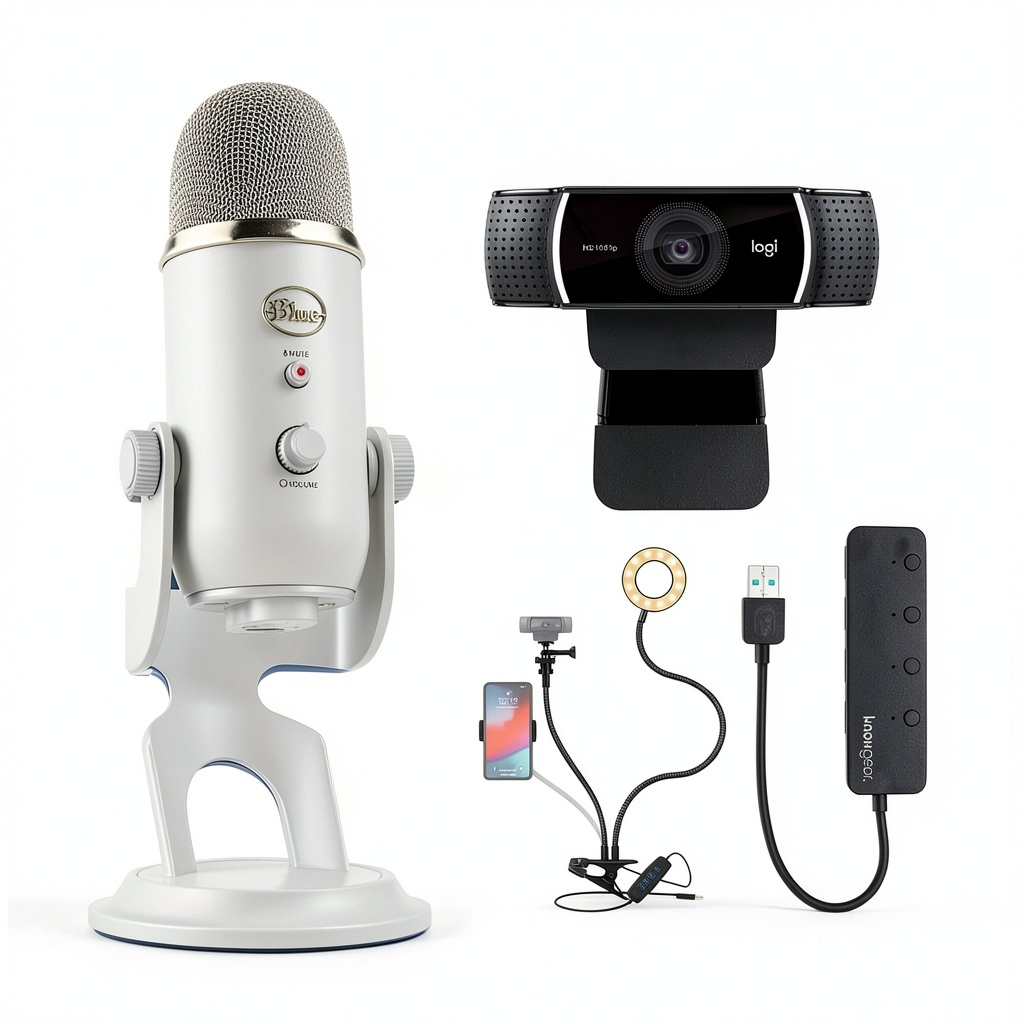
Let’s be honest, part of the Blue Yeti’s appeal is its look. The matte silver finish and retro styling make it look far more expensive than it is. More importantly, it’s built to last. The all-metal construction feels solid in your hands, a world away from the plasticky feel of many cheaper USB mics. The knobs have a satisfying, dampened resistance when you turn them.
However, this quality comes with a trade-off: weight. At over 2.5 pounds, the Yeti is a heavyweight. The included desk stand, while decent, is often no match for this heft. On a typical desk, even slight bumps can cause the entire setup to wobble. If you type heavily or have an active streaming style, the stand can transmit those vibrations directly to the microphone. My #1 recommendation for any Blue Yeti owner is to budget for a decent boom arm. It solves the stability issue, frees up desk space, and allows for perfect positioning.
Performance in Real Use: Where the Patterns Shine
The four pickup patterns are the Yeti’s killer feature. Here’s how they perform in practice:
- Cardioid (The Standard): Perfect for solo streaming, podcasting, or voice-overs. It captures sound directly in front of the mic and rejects noise from the sides and rear. In a reasonably quiet room, the vocal clarity is excellent. However, it will still pick up loud keyboards and PC fans if they’re too close.
- Bidirectional (Figure-8): I used this for a two-person interview, sitting across a table from my guest. The sound rejection from the sides was impressive, creating a clean, focused recording of both voices without needing a second microphone.
- Omnidirectional (360-degree): Ideal for capturing a room’s ambiance or a roundtable discussion. I tested it during a team meeting, and it picked up everyone evenly. The downside is that it also captures every single noise in the room—the HVAC, distant traffic, everything.
- Stereo: This is a niche but fun pattern for recording acoustic instruments or creating a wide, immersive soundscape. It’s less critical for spoken word but adds creative potential.
The zero-latency headphone monitoring is a crucial feature for monitoring your audio in real time. It works flawlessly, allowing you to hear exactly what you’re recording without any distracting delay.
Ease of Use: The Ultimate Plug-and-Play Experience
This is where the Blue Yeti earns its popularity. You literally plug it in, select it as your input device in your computer’s settings, and you’re recording. There’s no driver installation required for basic functionality on most modern operating systems. The onboard controls mean you can adjust your levels on the fly without fumbling through software menus mid-stream.
The Blue VO!CE software, available through the Logitech G Hub app (Blue is now owned by Logitech), adds another layer. It provides high-quality noise reduction, de-esser, and compressor effects that can be applied in real time. While some purists might scoff at real-time effects, for a streamer or podcaster, the ability to sound polished without post-production is a massive time-saver. The presets are a great starting point, but the real power is in the customizable effects chain.
Durability & Reliability: A Long-Term Investment
I’ve had my test unit for over a year, and it has been rock-solid. The ports are firm, the knobs haven’t loosened, and the finish resists fingerprints and minor scratches. This is a microphone that, with reasonable care, will last for many years. The common failure points on cheaper mics—flimsy USB ports, broken plastic mounts—are non-issues here thanks to the robust design.
Pros & Cons
Pros:
- Exceptional versatility with four distinct pickup patterns.
- Superior build quality with an all-metal construction.
- Extremely easy setup, true plug-and-play functionality.
- Useful onboard controls for gain, mute, and headphone volume.
- Powerful companion software (Blue VO!CE) for real-time voice enhancement.
- Excellent audio quality for the price in optimal conditions.
Cons:
- Very sensitive to background noise due to its condenser design.
- Heavy and bulky, making the included stand inadequate.
- Can pick up keyboard and mouse clicks if placed too close to your hands.
- USB-only connection limits future upgrades (no XLR output).
- 16-bit/48kHz audio is good, but audiophiles may prefer 24-bit.
Comparison & Alternatives
How does the Blue Yeti stack up against the competition? Let’s look at two key alternatives.
Cheaper Alternative: FIFINE K669B
If your budget is tight, the FIFINE K669B is a compelling option at a fraction of the price. It offers solid cardioid-only performance in a compact, lightweight design. The trade-off is significant: you lose the Yeti’s pattern versatility, robust metal build, and onboard controls. The audio quality is good for the price but not as full-bodied as the Yeti. Choose the FIFINE if: you are on a strict budget, only need a simple microphone for solo recording, and don’t require multiple patterns.
Premium Alternative: Rode NT-USB+
Stepping up in price, the Rode NT-USB+ is a formidable competitor. It features a studio-grade pop filter, a more refined sound profile with an apodizing filter for smoother high frequencies, and a useful dedicated monitor mix knob. It also includes Rode’s powerful Nexus companion software. The Rode arguably delivers slightly cleaner audio out of the box. However, it only has a cardioid pattern. Choose the Rode NT-USB+ if: audio purity is your absolute top priority for solo work, and you’re willing to sacrifice pattern flexibility for a potentially cleaner signal path.
Buying Guide: Who Should Buy the Blue Yeti?
Making the right choice depends entirely on your specific needs and environment.
Best for Beginners: The Blue Yeti is arguably the perfect starter microphone. Its ease of use is unmatched. You can unbox it and have studio-quality audio in minutes. The pattern versatility also allows new creators to experiment with different content formats without buying new gear.
Best for Professionals (as a secondary mic): For a professional voice-over artist or musician, a high-end XLR microphone is usually the primary tool. However, the Blue Yeti is an excellent portable or backup solution. Its USB connectivity makes it ideal for remote interviews or recording on the go when dragging an audio interface isn’t practical.
Not Recommended For:
- Gamers in loud environments: If you have a noisy mechanical keyboard and loud PC fans, the Yeti will pick them up. A dynamic USB microphone like the Rode PodMic USB or Samson Q9U would be a better choice as they are less sensitive to ambient sound.
- Users with very limited desk space: The Yeti’s large footprint can dominate a small desk. A smaller form-factor mic like the Audio-Technica AT2020USB+ might be a better fit.
- Audiophiles seeking the absolute best sound: If you have a treated studio and a discerning ear, you’ll eventually want to move to an XLR setup for the higher fidelity and flexibility it offers.
Frequently Asked Questions (FAQ)
Q: Is the Blue Yeti still worth it in 2026, with so many new mics available?
A> Absolutely. While competition has increased, the Blue Yeti’s unique combination of four pickup patterns, robust build, and user-friendly design keeps it highly relevant. It’s a proven workhorse, not an outdated relic.
Q: Do I need a pop filter for the Blue Yeti?
A> Yes, I highly recommend one. The included stand does not have a built-in pop filter, and plosive sounds (like ‘p’ and ‘b’) will cause unpleasant distortion. A simple, inexpensive foam windscreen or a nylon pop filter on a boom arm will make a dramatic difference.
Q: Can I use the Blue Yeti with my phone or PlayStation/Xbox?
A> It’s possible but requires adapters and can be finicky. For modern smartphones with USB-C, you may need a specific adapter that supports USB audio. For consoles, compatibility is not guaranteed and often requires a workaround like a USB hub. It’s primarily designed for computer use.
Q: What’s the biggest mistake new Blue Yeti owners make?
A> Two things: First, speaking into the top of the mic instead of the front (side-address). Second, setting the gain too high. High gain introduces background noise. Keep the gain knob low (around 9 o’clock is a good start) and position the mic closer to your mouth (4-6 inches away) for a clean, strong signal.
Q: Blue Yeti vs. Blue Yeti X: What’s the difference?
A> The Yeti X is an upgraded model with a higher 24-bit/48kHz resolution, a LED meter for visualizing levels, and more advanced Blue VO!CE software features. For most users, the standard Yeti is sufficient. The Yeti X is worth considering if you want visual level feedback and the absolute best audio quality the USB platform can offer from Blue.